Home » Technology »
10 Things You Didn’t Know About HDMI Ports and Cables
Since its launch in 2003, HDMI technology has transformed the way we connect and enjoy digital entertainment. This strong interface lets us send high-quality audio and video signals with just one cable. It replaces the messy mix of analog connections that used to clutter our entertainment systems.
HDMI ports are now on almost every modern digital device. This includes gaming consoles, Blu-ray players, laptops, and smartphones. The technology has improved a lot. Newer versions like HDMI 2.0 and HDMI 2.1 have added great features such as:
- Support for 4K and 8K resolutions
- Higher refresh rates for gaming
- Enhanced Audio Return Channel (eARC)
- Dynamic HDR for improved picture quality
Even though HDMI is widely used, many people don’t know about its full potential or common mistakes to avoid. This guide will reveal ten important things you should know about HDMI ports and cables. You’ll discover how to select the right cables, learn about different connector types, and optimize your devices’ performance by making proper HDMI connections.
1. What is an HDMI Port?
Understanding HDMI Ports
An HDMI port is a standardized digital interface that allows audio and video signals to travel between devices through a single connection. You’ll recognize these ports by their distinctive trapezoid shape with 19 small pins inside.
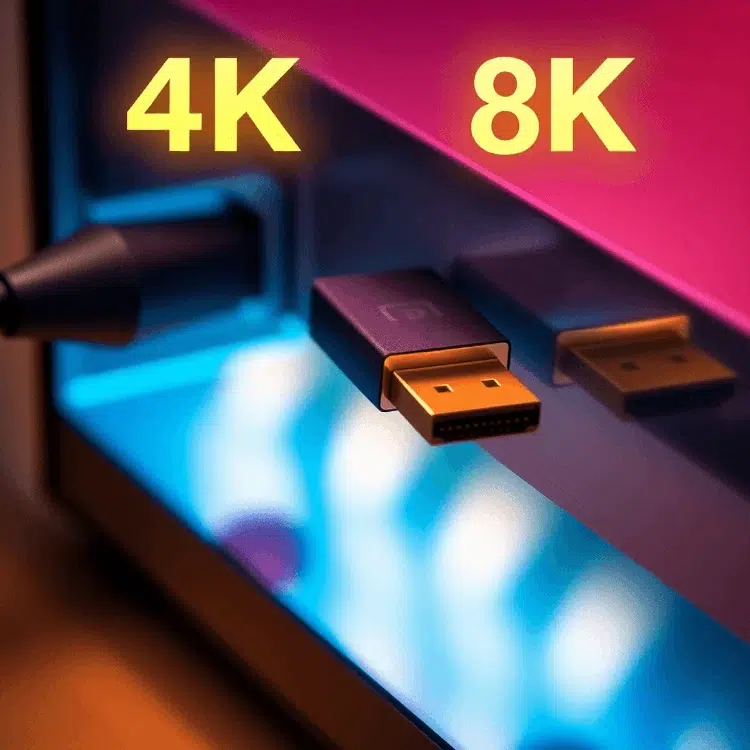
Key Features of HDMI Ports
- Single Connection for Audio and Video: HDMI ports simplify your setup by using one cable to transmit both high-quality audio and video signals, eliminating the need for multiple cables.
- 19-Pin Configuration: Inside the trapezoidal connector, you’ll find 19 small pins arranged to ensure secure transmission of data. This pin configuration supports various resolutions and audio formats.
- Versatility: HDMI ports are found on a wide range of devices, including TVs, computers, gaming consoles, and streaming devices.
Benefits of Using HDMI Ports
- High-Definition Quality: HDMI supports high-definition video (720p, 1080p) and even ultra-high-definition formats like 4K and 8K.
- Enhanced Audio Experience: Delivers multi-channel audio formats such as Dolby TrueHD and DTS-HD for an immersive sound experience.
- Ease of Use: The plug-and-play nature of HDMI makes it user-friendly. Simply connect the cable between devices, and they often recognize each other automatically.
Types of HDMI Connectors
While the standard HDMI (Type A) connector is most common, there are other types designed for different applications:
- Mini HDMI (Type C): Smaller than the standard Type A, often used in portable devices like tablets and cameras.
- Micro HDMI (Type D): Even smaller than Type C, found in compact devices like smartphones.
Understanding these aspects can help you make informed decisions about your home entertainment setup or professional AV installations.
HDMI ports come in two distinct types:
- Input Ports: These receive signals from source devices. You’ll find these on TVs, monitors, and projectors.
- Output Ports: These send signals to display devices. Gaming consoles, Blu-ray players, and laptops typically feature output ports.
You’ll spot HDMI ports on numerous devices:
- Smart TVs and monitors
- Gaming consoles (PlayStation, Xbox)
- Streaming devices (Roku, Apple TV)
- Laptops and desktop computers
- Sound bars and AV receivers
- Digital cameras and camcorders
- Cable/satellite boxes
The physical port itself is designed to be user-friendly – the connector can only be inserted one way, preventing accidental damage from incorrect insertion. The port’s durability allows for thousands of connection cycles without degradation in signal quality.

2. Different Types of HDMI Connectors and Ports
HDMI connectors come in distinct sizes and configurations to accommodate various devices and applications. Here’s a breakdown of the main HDMI connector types:
1. Type A (Standard HDMI)
- 19-pin configuration
- Most common connector type
- Found on TVs, gaming consoles, laptops
- Measures approximately 13.9 x 4.45mm
2. Type C (Mini HDMI)
- Compact version of Type A
- Same 19-pin layout in smaller form
- Popular in DSLR cameras, tablets
- Measures approximately 10.42 x 2.42mm
3. Type D (Micro HDMI)
- Smallest HDMI connector
- Maintains 19-pin configuration
- Used in smartphones, action cameras
- Measures approximately 6.4 x 2.8mm
4. Type E (Automotive HDMI)
- Specialized connector for vehicles
- Built-in locking mechanism
- Vibration-resistant design
- Enhanced durability for automotive environments
Each connector type maintains signal quality and compatibility across devices. The size difference allows manufacturers to integrate HDMI technology into smaller devices without compromising performance. Type E connectors feature additional shielding and secure connections to withstand vehicle vibrations and temperature variations.
3. Understanding the Pin Configuration of HDMI Connectors
The standard HDMI Type A connector features a precise 19-pin configuration that enables seamless digital audio and video transmission. Each pin serves a specific purpose in the signal transfer process:
Primary Signal Pins
- Pins 1-9: Carry three TMDS data channels and clock signals
- Pins 10-12: Handle TMDS clock channel for synchronization
- Pin 13: CEC (Consumer Electronics Control) for device communication
- Pin 14: Reserved for future applications
- Pin 15: SCL (I²C clock) for HDCP authentication
- Pin 16: SDA (I²C data) for HDCP authentication
- Pin 17: DDC/CEC ground
- Pin 18: +5V power
- Pin 19: Hot Plug Detect
The TMDS (Transition Minimized Differential Signaling) channels transmit video data, audio data, and auxiliary data through differential pairs. These pairs work together to minimize electromagnetic interference and maintain signal integrity.

Mini HDMI (Type C) and Micro HDMI (Type D) connectors maintain the same pin functionality but feature a more compact arrangement. The pins are physically smaller and positioned closer together to accommodate the reduced connector size while preserving full compatibility with standard HDMI signals.
The pin layout creates redundancy through multiple ground connections, protecting against signal degradation and ensuring reliable data transmission across different cable lengths and qualities.
4. Categories and Speeds of HDMI Cables
HDMI cables come in four distinct categories, each designed for specific performance requirements:
1. Standard HDMI Cable
- Supports up to 1080i/720p resolution
- Maximum bandwidth: 4.95 Gbps
- Ideal for basic HD content and older devices
- Limited refresh rate capabilities
2. High-Speed HDMI Cable
- Handles 1080p and basic 4K (30Hz)
- Maximum bandwidth: 10.2 Gbps
- Suitable for gaming at 1080p
- Supports 3D video formats
3. Premium High-Speed Cable
- Certified for 4K content at 60Hz
- Maximum bandwidth: 18 Gbps
- Enhanced shielding for better signal integrity
- Supports HDR content
4. Ultra High-Speed Cable
- Delivers 8K resolution at 60Hz
- Maximum bandwidth: 48 Gbps
- Enables 4K gaming at 120Hz
- Supports Dynamic HDR and enhanced gaming features
Recommended Cable Selection Guide:
| Resolution/Use Case Recommended Cable Type 1080p Gaming | High-Speed |
| 4K Movies | Premium High-Speed |
| 4K@120Hz Gaming | Ultra High-Speed |
| 8K Content | Ultra High-Speed |
The cable category directly impacts your viewing experience. Using a Standard HDMI cable for 4K content results in signal degradation or no picture. For optimal performance, match your cable category to your device’s capabilities and content requirements.
5. What Makes a Good or Best HDMI Cable?
A high-quality HDMI cable stands out through several key characteristics:
1. Build Quality Indicators:
- Gold-plated connectors for superior conductivity and corrosion resistance
- Thick outer jacket protecting against physical damage
- Robust strain relief at connector points
- Double or triple shielding to prevent signal interference
- Braided cable design for enhanced durability
2. Essential Performance Features:
- Proper EMI shielding to block electromagnetic interference
- High-purity copper conductors for reliable signal transmission
- Tight connector fit without being loose or wobbly
- Certification from authorized testing centers
- Clear labeling of supported features and bandwidth
The physical construction directly impacts signal integrity. Premium cables use multiple layers of shielding, including aluminum foil and copper braiding, to protect against external interference. This shielding becomes crucial for longer cable runs or installations near power sources.
Your cable choice should match your specific needs. A basic HDMI cable might work for a DVD player, but gaming at 4K/120Hz demands an Ultra High Speed certified cable with enhanced specifications.
6. Key Features Supported by Modern HDMI Interfaces
Modern HDMI interfaces pack powerful features that enhance your entertainment experience. Consumer Electronics Control (CEC) lets you control multiple connected devices with a single remote. You can power on your TV and automatically turn on your soundbar, or press play on your Blu-ray player and have your TV switch to the correct input.
Audio Return Channel (ARC) simplifies your audio setup by eliminating the need for a separate optical cable. Your TV can send audio signals back through the same HDMI cable to your sound system, perfect for streaming apps or broadcast TV.
High-bandwidth Digital Content Protection (HDCP) safeguards premium content from unauthorized copying. This encryption system ensures secure transmission between devices:
- HDCP 1.4 supports up to 4K at 30Hz
- HDCP 2.2 enables 4K at 60Hz
- HDCP 2.3 adds enhanced security features
These built-in capabilities make HDMI the go-to standard for home entertainment systems, creating a seamless integration between your devices while maintaining content security.
7. The Evolution of the HDMI Standard Versions
HDMI technology has undergone significant transformations since its initial release in 2002. Each version brings enhanced capabilities and improved performance specifications.
HDMI 1.0 – 1.4
- 1.0: Introduced basic HD video support at 1080p
- 1.3: Added Deep Color and Dolby TrueHD support
- 1.4: Brought 4K support at 30Hz, 3D capabilities
HDMI 2.0
- Maximum bandwidth: 18 Gbps
- Supports 4K resolution at 60Hz
- HDR video capabilities
- Up to 32 audio channels
- 21:9 aspect ratio support
HDMI 2.1
- Enhanced bandwidth up to 48 Gbps
- 8K resolution at 60Hz
- 4K resolution at 120Hz
- Variable Refresh Rate (VRR)
- Auto Low Latency Mode (ALLM)
- Quick Frame Transport (QFT)
- Quick Media Switching (QMS)
HDMI 2.1a
- Source-Based Tone Mapping
- Improved HDR performance
- Enhanced gaming features
The latest HDMI update focuses on refining existing features while maintaining compatibility with previous versions. These improvements serve different user needs – from casual viewing to professional content creation and competitive gaming.
Each new version maintains backward compatibility, allowing newer devices to work with older HDMI equipment at their supported specifications. The increased bandwidth capabilities enable higher resolutions, faster refresh rates, and enhanced features for modern displays and gaming systems.

8. How Does an HDMI Cable Work for TV Connections?
HDMI cables have changed the way we connect our TVs and devices. They offer a simple solution with just one cable that can carry both high-quality video and audio signals.
How HDMI Works
Your HDMI cable creates a direct digital connection between your TV and other devices, eliminating the need for multiple cables. Here’s how it works:
- Transmits Video: HDMI cables send uncompressed digital video signals directly to your TV, supporting resolutions up to 4K.
- Carries Audio: Along with the video, HDMI also carries multi-channel audio data, providing immersive sound without any additional connections.
- Controls Devices: With CEC (Consumer Electronics Control) functionality, HDMI can send commands from one device to another, allowing you to control multiple devices with a single remote.
- Protects Content: HDCP (High-bandwidth Digital Content Protection) ensures that copyrighted content is securely transmitted between devices.
Advantages Over Analog Connections
The digital nature of HDMI cables offers several benefits compared to traditional analog connections:
- No signal loss or degradation during transmission
- Accurate reproduction of every pixel on your screen
- Clear audio without any interference or noise
- Elimination of signal conversion, preserving the original quality
How HDMI Connects Your Devices
HDMI cables use a technology called differential signaling pairs, which are specialized wires that transmit data quickly while keeping the signal intact. This allows you to connect various devices to your TV:
- Gaming consoles (such as PlayStation and Xbox)
- Streaming devices (like Roku and Apple TV)
- Blu-ray players
- Cable or satellite boxes
- Laptops and computers
With HDMI, you can enjoy the best possible picture and sound quality from all your connected devices. It’s become an essential component of modern home entertainment systems.
9. Lesser-Known Applications and Uses of Specialized HDMI Ports
HDMI technology extends far beyond home entertainment systems. The automotive industry has embraced specialized Type E HDMI connectors designed with robust locking mechanisms. These connectors withstand intense vibrations and temperature fluctuations while delivering high-quality audio-video signals to in-car entertainment systems.
Mini and Micro HDMI Applications:
- Digital cameras use mini-HDMI (Type C) ports for direct photo/video transfer to displays
- Action cameras like GoPro feature micro-HDMI (Type D) for compact design
- Some tablets incorporate mini-HDMI ports for external display connectivity
- Professional drones utilize micro-HDMI for real-time video feed transmission
Specialized Use Cases:
- Medical imaging equipment requires high-resolution HDMI connections for diagnostic displays
- Digital signage systems rely on HDMI for commercial advertising displays
- Security systems use HDMI ports for surveillance camera feeds
- Professional photography studios employ HDMI for tethered shooting
These specialized applications demonstrate HDMI’s versatility beyond traditional consumer electronics, adapting to diverse industry requirements through different connector types and specifications.
10. Common Misconceptions About HDMI Ports and Cables
Let’s debunk some persistent myths about HDMI technology that might be costing you money or causing unnecessary worry:
Myth #1: “All HDMI cables are the same.” This common belief couldn’t be further from the truth. HDMI cables come in different categories with varying capabilities:
- Standard HDMI cables support 1080i resolution
- High-Speed cables handle 4K content
- Ultra High-Speed cables deliver 8K resolution and higher refresh rates
Myth #2: “Expensive cables always perform better.” Price doesn’t necessarily indicate quality. A certified HDMI cable that meets your device specifications will perform identically to a more expensive option with the same certification.
Myth #3: “Longer cables always mean worse quality.” While signal degradation can occur in longer cables, modern HDMI cables use advanced technology to maintain signal integrity:
- Active HDMI cables include built-in signal boosters
- Quality cables can maintain perfect signals up to 50 feet
- Signal degradation happens gradually, not suddenly
Myth #4: “New HDMI versions require new cables” — a common misconception. In reality, many existing High-Speed HDMI cables support newer HDMI versions. Your current cable might work perfectly with a new device, provided it meets the bandwidth requirements for your desired resolution and refresh rate.
Myth #5: “Gold-plated connectors significantly improve quality.” Gold plating resists corrosion but doesn’t improve digital signal quality. The digital signal either works perfectly or doesn’t work at all – there’s no middle ground for quality improvement.
HDMI 2.2 to Debut at CES 2025
This January, the HDMI Licensing Administration will unveil the new HDMI 2.2 standard at CES 2025. According to media reports, it will offer higher bandwidth and support greater resolutions compared to its predecessor.
The HDMI Forum has confirmed a press conference for January 6, where organizers are expected to reveal technical details about the latest version of the standard.
HDMI LA stated that the next-generation interface will deliver improved resolution, faster refresh rates, and enhanced signal quality. To take full advantage of these upgrades, users may need to purchase new cables.
Currently, HDMI 2.1 supports refresh rates up to 120Hz, resolutions up to 10,240 × 4,320 pixels (10K), and bandwidths up to 48 Gbps. The upcoming revision is expected to rival DisplayPort 2.1, which reaches up to 80 Gbps.
The HDMI 2.1b standard already supports data transfer speeds up to 48 Gbps. With Display Stream Compression (DSC), users can enjoy 8K resolution at 60 frames per second.
Conclusion
HDMI technology shapes our daily digital experiences through its versatile connectivity options and advanced features. Your understanding of HDMI ports and cables directly impacts the quality of your audio-visual setup.
Making informed decisions about HDMI equipment requires consideration of:
- Your device specifications
- Required bandwidth for your content
- Cable quality and certification
- Connector types suitable for your devices
We’d love to hear about your experiences with HDMI technology. Have you encountered challenges with HDMI connections? Share your success stories or ask questions in the comments below. Your insights help build a knowledgeable community ready to tackle any HDMI-related challenges.
Ready to upgrade your HDMI setup? Apply these insights to make the right choice for your entertainment needs.
FAQs (Frequently Asked Questions)
Which is the best HDMI port to use for 4K?
With up to 48Gbps of bandwidth, HDMI fiber optic cables can easily handle 4K content in 120Hz, 8K and even 10K formats.
What is an HDMI port and how does it differ between input and output?
An HDMI port is a digital audio/video interface that allows devices to transmit high-quality audio and video signals. Input HDMI ports receive signals from external devices, while output HDMI ports send signals to displays or other equipment. Common devices featuring HDMI ports include TVs, monitors, gaming consoles, and Blu-ray players.
What are the different types of HDMI connectors and their specific uses?
The four main types of HDMI connectors are Type A (standard), Mini HDMI (Type C), Micro HDMI (Type D), and Type E. Type A is commonly used in TVs and monitors, Mini and Micro HDMI connectors are designed for portable electronics like cameras and smartphones, while Type E is an automotive-specific connector with a locking mechanism for stability in vehicles.
How do the categories of HDMI cables affect performance and device compatibility?
HDMI cables come in various categories including Standard, High-Speed, Premium High-Speed, and Ultra High-Speed. These categories differ based on bandwidth capabilities and supported resolutions or refresh rates. Selecting the appropriate cable category ensures optimal performance for your device's requirements, such as 4K@60Hz or higher.
What key features do modern HDMI interfaces support?
Modern HDMI interfaces support features like Consumer Electronics Control (CEC) which enables single remote control across multiple devices; Audio Return Channel (ARC) allowing audio signals to be sent back from a TV to sound systems; and HDCP copy protection that prevents unauthorized copying of digital content.
How has the HDMI standard evolved over time?
The HDMI standard has evolved through versions such as 2.0, 2.1, and 2.2, each introducing enhancements like increased bandwidth, support for higher resolutions (e.g., 4K@60Hz in 2.0), improved gaming features in 2.1, and updates in 2.2 for advanced applications. These updates ensure compatibility with modern multimedia demands.
What are some lesser-known applications of specialized HDMI ports?
Specialized HDMI ports have unique applications such as the automotive Type E connector which includes a locking mechanism for secure connections in vehicles. Mini and Micro-HDMI connectors are widely used in portable electronics like cameras and smartphones where space-saving designs are essential.