TV Viewing Distance: How to Optimize Your Setup
Setting up your TV isn’t just about plugging it in and pressing power. The distance between your couch and screen can make or break your viewing experience. A properly calculated TV viewing distance helps prevent eye strain, ensures crystal-clear picture quality, and creates that immersive home theater feel you’re looking for.
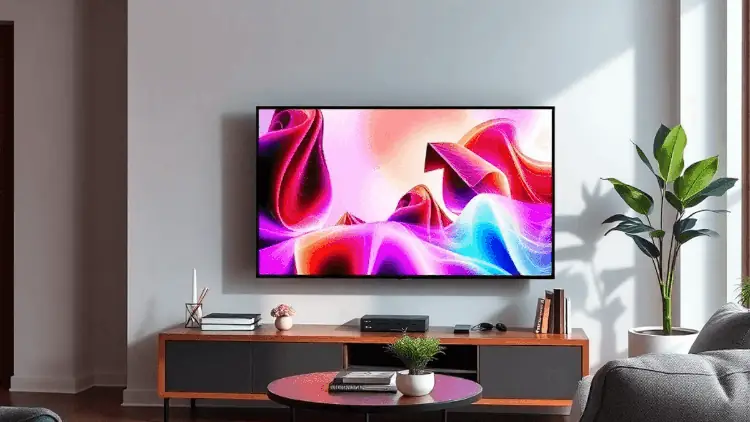
Think of your TV setup like a movie theater experience – you wouldn’t want to sit in the front row for a blockbuster film, right? The same principle applies to your home entertainment system. Your 65-inch TV might look impressive on the wall, but sitting too close can turn your favorite shows into a pixel-spotting exercise.
Common TV sizes you’ll find in homes today:
- 43-inch – Perfect for bedrooms and small spaces
- 55-inch – The popular choice for medium-sized living rooms
- 65-inch – Ideal for larger living spaces
- 75-inch and above – Built for dedicated home theaters
The size of your TV directly impacts the optimal viewing distance. A 55-inch TV needs different spacing than a 75-inch model to deliver the best picture quality. By understanding these relationships, you’ll create the perfect setup for your space and ensure every movie night, sports event, or gaming session looks exactly as intended.

In this guide, we’ll show you how to measure your TV correctly and find that sweet spot for your seating arrangement.
Understanding TV Sizes and Dimensions
TV sizes follow a standardized measurement system based on the screen’s diagonal length. When you see a “65-inch TV,” this number represents the distance from one corner to the opposite corner of the visible screen area.
Standard TV Dimensions by Size:
- 55-inch TV: Width: 48.0 inches, Height: 27.0 inches, Diagonal: 55.0 inches
- 65-inch TV: Width: 56.7 inches, Height: 31.9 inches, Diagonal: 65.0 inches
- 75-inch TV: Width: 65.6 inches, Height: 36.9 inches, Diagonal: 75.0 inches
The physical dimensions of your TV extend beyond these screen measurements. Modern TVs include a frame or bezel surrounding the screen, adding extra inches to the total size. While older TV models featured thick bezels, contemporary designs sport ultra-thin frames, maximizing the visible screen area.
Frame and Bezel Impact:
- Slim bezels add 0.5-1 inch to each side
- Wall-mount compatibility affects depth (2-4 inches)
- Stand attachments increase height by 2-3 inches
Samsung’s Frame TV series presents unique dimensions, designed to mimic artwork when mounted. These specialized TVs maintain standard diagonal measurements but feature customizable bezels to match your décor.
Physical vs. Screen Dimensions:
- Screen size = diagonal measurement of visible display
- Physical width = screen width + (bezel width × 2)
- Physical height = screen height + (bezel height × 2)
- Total depth varies by model and mounting method
Understanding these measurements helps you plan your space effectively. A 65-inch TV requires different wall space than its actual screen dimensions suggest, factoring in the complete physical footprint of the unit.

How to Measure Your TV Size Correctly
Accurate TV measurements help you make informed decisions about viewing distance and room placement. Here’s a step-by-step guide to measure your TV screen size:
1. Gather Your Tools
- Measuring tape or ruler
- Calculator
- Clean microfiber cloth
- Step stool (if needed)
2. Prepare Your TV
- Clean the screen surface
- Turn off the TV
- Remove any protective covers
3. Measure Diagonally
- Start from the top-left corner
- Extend to the bottom-right corner
- Exclude the bezel/frame
- Record the measurement in inches
Quick Tips for Accurate Measurements:
- Keep the measuring tape straight
- Measure only the visible screen area
- Double-check your numbers
- Round to the nearest inch
Using a TV Size Chart
TV size charts provide exact dimensions for specific models. Match your measurements to the chart specifications:
| Screen Size | Width | Height |
| 55″ | 48″ | 27″ |
| 65″ | 57″ | 32″ |
| 75″ | 66″ | 37″ |
There are several methods of calculation based on a single formula:
The calculation formula is DISTANCE = L*K
Where L is the screen diagonal in inches, and K is the coefficient of the calculation method
First, you can study the information provided by the manufacturers. For example, Samsung recommends using a coefficient of 1.22 and the following distances depending on the diagonal:
| Screen diagonal, inches | Distance to viewer, feet |
| 55 | 5.58 |
| 65 | 6.56 |
| 75 | 7.55 |
| 85 | 8.53 |
LG advises a more significant factor of 1.97 but allows ±1.6 feet of variation:
| Screen diagonal, inches | Distance to viewer, feet |
| 32 | 5.25 |
| 43 | 7.05 |
| 49 | 8.04 |
| 55 | 9.02 |
| 60 | 9.84 |
| 65 | 10.66 |
| 75 | 12.3 |
| 77 | 12.63 |
| 86 | 14.1 |
Where do these differences come from? Such different distances in the recommendations are related to the recommended viewing angle and resolution.
Yes, the latter also has a direct impact on the distance. The higher the resolution, the closer you can put the TV.
There are four main types of screen resolution:
- HD = 1366×768 pixels;
- Full HD = 1920×1080 pixels;
- 4K = 3840×2160 pixels;
- 8K = 7680×4320 pixels.
Various specialized resources and companies offer their variations of the coefficient for the distance formula, depending on the resolution:
| Resource | Recommended coefficient |
| CNET | 2.5 for Full HD |
| 1.5 for 4K | |
| SMPTE | 1,6 |
| THX | 1.2 for 4K |
Your TV’s model number helps identify its exact size category. Look for this information on:
- The original packaging
- Back panel sticker
- TV settings menu
- Product manual
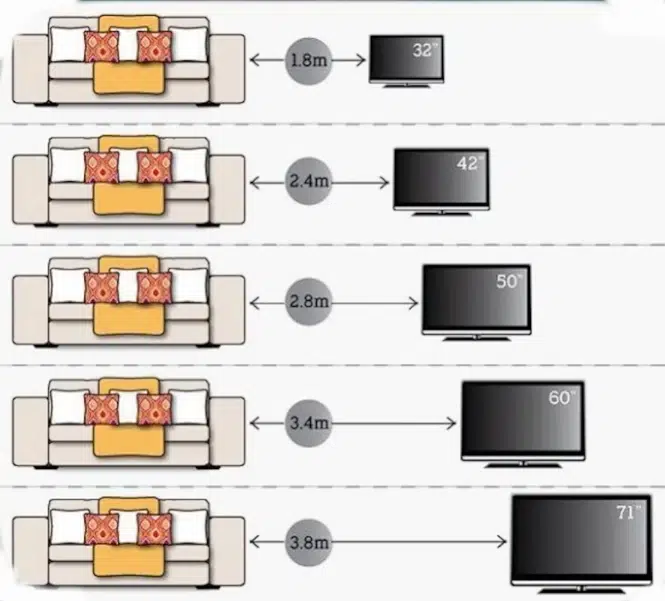
The Relationship Between TV Size and Viewing Distance
Your TV viewing distance plays a crucial role in creating the perfect home entertainment setup. Sitting at the right distance from your screen impacts both your viewing experience and eye health.
Picture Clarity and Visual Comfort
The human eye has natural limitations in processing visual information. Sitting too close to your TV can cause:
- Eye strain and fatigue, similar to the effects of too much screen time
- Visible screen pixels
- Motion sickness during fast-moving scenes
- Difficulty focusing on the entire picture
Sitting too far creates different challenges:
- Missed subtle details
- Reduced immersion
- Diminished HDR impact
- Wasted screen real estate
Size-Distance Connection
Larger TVs demand greater viewing distances to maintain optimal picture quality. Here’s a basic breakdown:
- 43-inch TV: 5.4-8.6 feet
- 55-inch TV: 6.9-11 feet
- 65-inch TV: 8.1-13 feet
- 75-inch TV: 9.4-15 feet
These ranges ensure you can see the complete picture without moving your head or straining your eyes. The sweet spot lies where you can appreciate the full detail of your content while maintaining visual comfort.
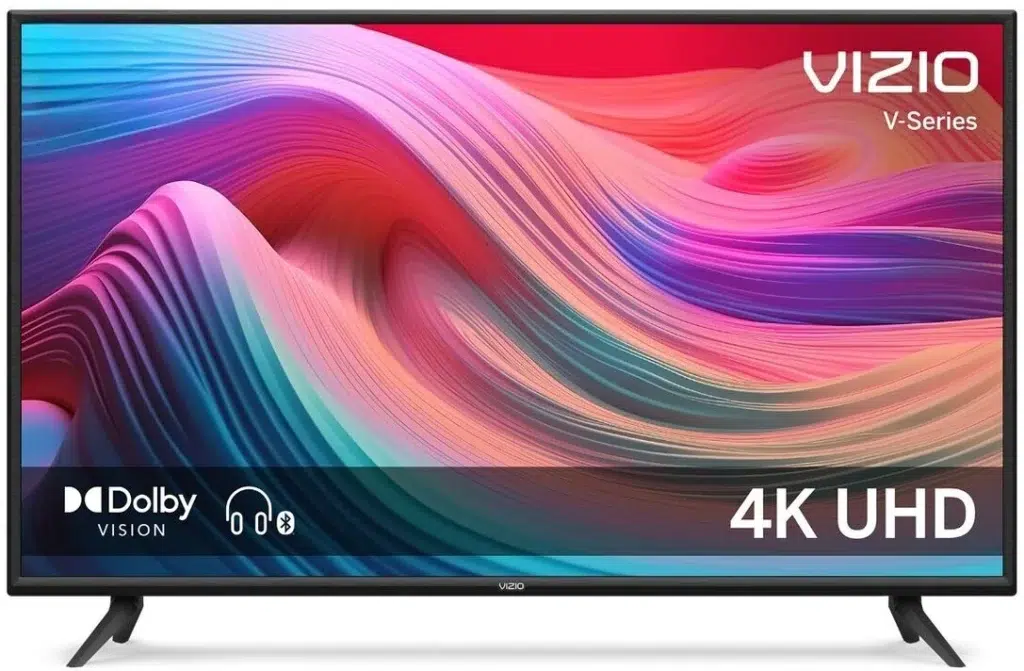
Screen resolution affects these distances – 4K TVs allow closer viewing than 1080p models due to their higher pixel density. Your room’s layout and personal preferences also influence the ideal placement of your viewing position.
However, it’s essential to be aware that prolonged exposure to screens, especially for children, can lead to serious eye health issues.
Calculating Your Ideal TV Viewing Distance Using a Calculator or Formula
Finding your perfect viewing distance doesn’t need to be guesswork. You can use specific formulas and online calculators, such as this TV size distance calculator, to determine the ideal distance between your seating and TV screen.
Basic Formula for TV Distance Calculation:
- For 4K TVs: Multiply screen size by 1.5-2.5
- For HD TVs: Multiply screen size by 2.5-3.5
Practical Examples:
55-inch TV
- 4K Resolution: 6.8 – 11.4 feet (82-137 inches)
- HD Resolution: 11.4 – 16 feet (137-192 inches)
65-inch TV
- 4K Resolution: 8.1 – 13.5 feet (97-162 inches)
- HD Resolution: 13.5 – 19 feet (162-228 inches)
75-inch TV
- 4K Resolution: 9.3 – 15.6 feet (112-187 inches)
- HD Resolution: 15.6 – 21.8 feet (187-262 inches)
Using Online TV Distance Calculators
Many manufacturers offer free online calculators for precise measurements. These tools consider:
- Screen resolution
- Room dimensions
- Seating arrangement
- Visual acuity preferences
To use a TV size distance calculator:
- Input your TV’s screen size
- Select the resolution (4K or HD)
- Enter your room dimensions
- Review the recommended minimum and maximum distances
The calculator provides a range rather than a fixed distance, allowing you to adjust based on personal preference and room constraints.
Quick Reference Guide
For 4K TVs, use this simplified calculation:
Minimum Distance = Screen Size × 1.5 Maximum Distance = Screen Size × 2.5
For standard HD TVs:
Minimum Distance = Screen Size × 2.5 Maximum Distance = Screen Size × 3.5
These calculations help create an immersive viewing experience while maintaining visual comfort and clarity
Factors Affecting Optimal Viewing Distance Beyond Size
Screen resolution plays a crucial role in determining your ideal viewing distance. Different television sizes and resolutions create distinct viewing experiences:
HD (1080p) vs 4K Resolution Impact:
- HD TVs require greater viewing distances to prevent pixel visibility
- 4K TVs allow closer seating due to higher pixel density
- HD: Multiply screen size by 2.5 for optimal distance in feet
- 4K: Multiply screen size by 1.5 for optimal distance in feet
Room Lighting Considerations:
- Bright rooms need greater viewing distances to reduce glare
- Dark rooms allow closer viewing without eye strain
- Direct sunlight on screens requires strategic TV placement
- Ambient lighting behind the TV reduces eye fatigue
Seating Configuration Impact:
- Centered seating provides the best viewing angle
- Side angles beyond 30 degrees can distort picture quality
- Multiple viewing positions require compromise on distance
- Elevated seating might need TV height adjustment
Screen Technology Effects:
- OLED displays maintain picture quality at wider angles
- LCD screens often show color shifting from side views
- Curved displays have specific sweet spots for optimal viewing
- Anti-glare coatings affect optimal viewing positions
Room Layout Factors:
- Wall-mounted TVs need different distance calculations
- Entertainment centers affect minimum viewing distances
- Open floor plans require consideration of multiple viewing zones
- Room traffic patterns influence optimal TV placement


Using a TV Size Chart for Better Setup Decisions
A TV size chart is an important tool that helps you make smart choices about setting up your home entertainment system. These charts show important measurements that allow you to see how various TV models will fit in your area.
Reading a TV Size Chart
When looking at a TV size chart, here are the key measurements to understand:
- Screen Size (Diagonal): Listed in inches, representing the corner-to-corner measurement
- Width: The horizontal measurement of the screen
- Height: The vertical measurement of the screen
- Depth: The thickness of the TV from front to back
- Weight: The TV’s mass, important for wall mounting considerations
Screen Area Comparison Examples
To give you a better idea of how different TV sizes compare, here are some examples of their dimensions and screen area:
- 55-inch TV:
- Width: 48.0 inches
- Height: 27.0 inches
- Screen Area: 1,296 square inches
- 65-inch TV:
- Width: 56.7 inches
- Height: 31.9 inches
- Screen Area: 1,809 square inches
- 75-inch TV:
- Width: 65.4 inches
- Height: 36.8 inches
- Screen Area: 2,407 square inches
Physical Dimensions vs Screen Size
It’s important to note that the actual dimensions of the TV include the bezel (frame) around the screen. This means that the total width and height measurements will be slightly larger than the screen dimensions:
- Add 1-3 inches to the width for total TV width
- Add 1-2 inches to the height for total TV height
- Screen thickness varies by model type:
- LED TVs: 2-4 inches
- OLED TVs: 1.5-3 inches
Using these measurements, you can create a paper template to test different TV sizes on your wall. This practical approach helps you visualize the TV’s presence in your room before making a purchase.
Tips for Arranging Your Room for Perfect Viewing Experience
Creating the perfect TV viewing setup requires strategic furniture placement and lighting control. Here’s how to arrange your room for optimal viewing:
Furniture Positioning
- Place your main seating at the recommended viewing distance from your TV
- Center your couch or chairs directly facing the screen
- Arrange side seating within a 30-degree angle from the screen’s center
- Keep coffee tables and ottomans low to prevent blocking the view
Lighting Control
- Position your TV away from windows to minimize glare
- Install adjustable window treatments to control natural light
- Place floor or table lamps behind or beside the viewing area
- Avoid ceiling lights that create screen reflections


Height and Mounting
- Mount your TV so the center of the screen sits at eye level when seated
- For most setups, this means 42-48 inches from the floor
- Tilt the screen slightly downward if mounting above a fireplace
- Use a mounting bracket that allows for angle adjustments

Room Layout Considerations
- Create clear pathways around seating for easy movement
- Keep power outlets accessible for cable management
- Position speakers according to your sound system configuration
- Consider room acoustics – add soft furnishings to reduce echo
Remember to test your setup during different times of day to ensure consistent viewing quality as lighting conditions change.

Common Mistakes When Measuring and Setting Up Your TV
Setting up your TV might seem straightforward, but several common mistakes can impact your viewing experience. Let’s identify these errors to help you avoid them.
Incorrect Measurement Techniques
- Measuring the width instead of the diagonal screen size
- Including the bezel or frame in your measurements
- Using rounded numbers instead of exact measurements
- Not accounting for the viewing area vs. total TV dimensions
Distance-Related Setup Errors
- Placing seating directly against walls without considering optimal viewing distance
- Setting up the TV too high on the wall, causing neck strain
- Positioning chairs at extreme angles that distort picture quality
Screen Position Mistakes
- Mounting the TV above a fireplace where heat can damage components
- Installing the screen in direct sunlight without anti-glare protection
- Failing to account for room traffic patterns when positioning the TV
Resolution Misconceptions
- Using HD distance calculations for 4K TVs
- Assuming all TVs of the same size require identical viewing distances
- Not adjusting seating distance when upgrading to a higher resolution TV
Your TV setup impacts both comfort and picture quality. A 65-inch TV viewed from 6 feet away might cause eye strain, while the same TV viewed from 15 feet away wastes its potential. Understanding proper measurement techniques and viewing distances helps create an optimal viewing setup for your space.
Conclusion
Setting up your TV with the optimal viewing distance transforms your home entertainment experience. With accurate measurements and distance calculations, you’re ready to create the perfect viewing setup in your space.
Take time to:
- Measure your TV screen diagonally for precise dimensions
- Use viewing distance calculators based on your TV’s size
- Consider your room’s layout and lighting conditions
- Adjust seating positions for maximum comfort
Your careful attention to these details pays off with enhanced picture quality, reduced eye strain, and a more immersive viewing experience. The right setup makes every movie night, sports event, or gaming session more enjoyable.
Remember: A properly positioned TV isn’t just about following numbers—it’s about creating your ideal entertainment space. Take these measurement techniques and calculations as your starting point, then fine-tune based on your personal comfort and room specifications. Your perfect viewing setup awaits.
FAQs (Frequently Asked Questions)
How do I correctly measure my TV size?
To measure your TV size correctly, use a tape measure or ruler to measure the diagonal length of the screen from one corner to the opposite corner, excluding the frame or bezel. This measurement in inches represents your TV's size.
What is the difference between TV screen size and physical dimensions?
TV screen size refers to the diagonal measurement of the display area, usually in inches, while physical dimensions include the full width, height, and depth of the TV including its frame or bezel. Understanding both helps in planning your space effectively.
How does TV size relate to optimal viewing distance?
Larger TVs typically require longer optimal viewing distances to maintain picture clarity and reduce eye strain. Using recommended formulas or calculators can help determine the ideal distance based on your TV's size.
What factors besides size affect optimal viewing distance?
Screen resolution (such as HD vs 4K), room lighting conditions, and seating arrangement all influence optimal viewing distance. Higher resolution screens like 4K allow for closer seating without loss of image quality.
How can I use a TV size chart to improve my setup decisions?
A comprehensive TV size chart helps you compare different models' physical dimensions and screen areas. By understanding these measurements, you can better plan furniture placement and ensure your viewing environment is comfortable and free from glare or reflections.