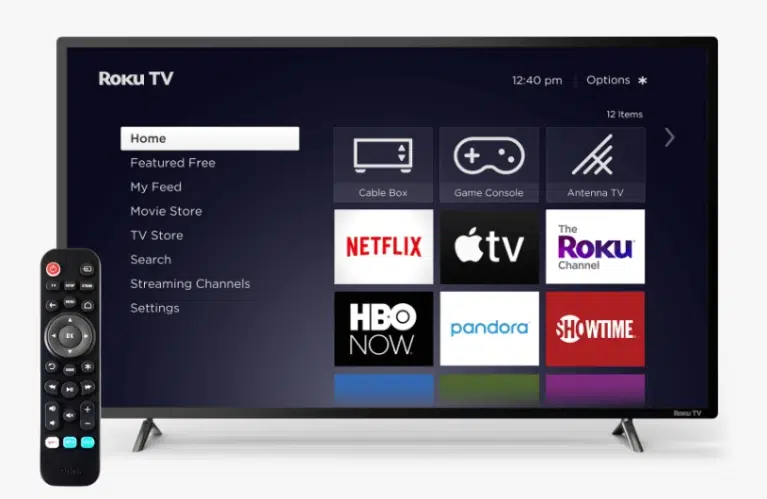
How to Boost Your TV Antenna Signal
If the TV signal is too weak, the tuner won’t be able to decode it—resulting in no picture or sound. This is a common issue with over-the-air antenna signals.
To fix this, try boosting the antenna signal. You can use a long-range antenna booster or a masthead amplifier to strengthen reception, especially in areas with interference or weak broadcast coverage.
Let’s explore what causes weak signals and how to improve your TV reception. Factors like physical obstacles, terrain, and distance from broadcast towers can all affect signal quality.
If you’re using an RV like the Itasca Sunstar 30T (or a similar model) with a built-in antenna, keep in mind that movement can disrupt reception. Adjusting the attenuator dial or switching between push-button and slider controls can help stabilize the signal.
If you have multiple TVs connected to a single antenna, consider installing a TV distribution amplifier. This ensures that each TV receives a strong, clear signal and helps reduce interference for a better viewing experience.
Causes of a Weak Signal
A digital signal from a repeater may be weak for several reasons:
- Far distance from the tower: The farther you are from the tower, the weaker the signal gets.
- Signal strength drops with distance: UHF radio waves, like digital TV signals, get weaker quickly as you move away from the source.
- Signal absorbed by the atmosphere: While air usually lets radio waves pass, dust, fog, and moisture can weaken or scatter the signal.
- Obstacles blocking the signal: UHF signals travel straight and don’t bend much around objects. Buildings, hills, or tall trees between the antenna and the tower can block or weaken the signal. Indoor antennas may struggle because walls absorb these waves.
- Receiver picks up only reflected signals: If something blocks direct signals, your antenna might only get weaker signals bouncing off nearby buildings.
- Poor equipment quality: Antennas that aren’t sensitive enough or cables that don’t work well can reduce signal quality.
Many factors that cause weak TV signals are hard to control. Using a TV signal booster or antenna amplifier can help improve reception. Also, make sure your equipment is of good quality to avoid problems caused by poor gear.
To get clear TV without freezing or distortion, choose the right way to boost your over-the-air (OTA) signal. Adjusting the gain or sensitivity on your antenna amplifier might also improve reception.
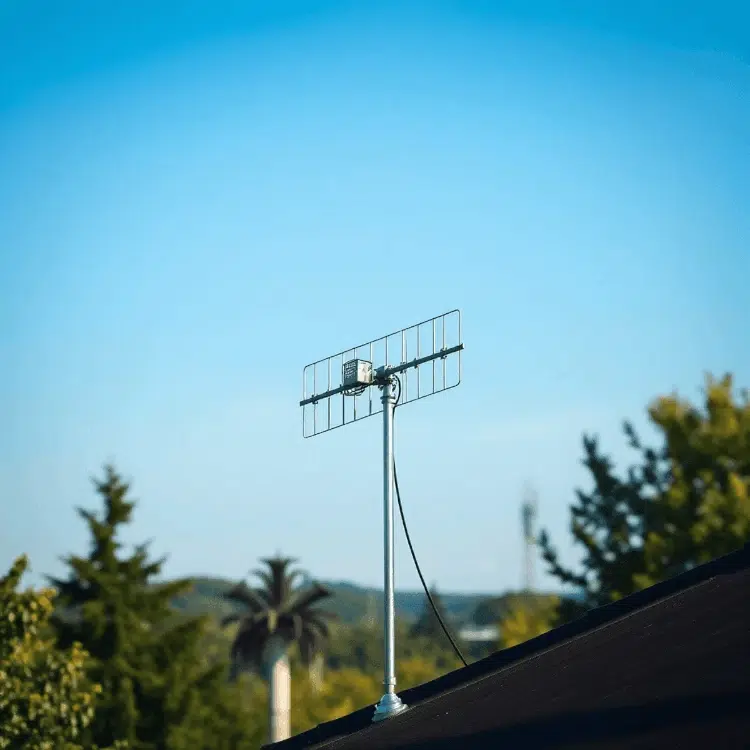
How to Improve Your TV Antenna Signal
Improving your TV antenna signal can make your over-the-air (OTA) TV picture clearer. Here are five simple ways to boost your antenna signal:
- Get a good quality TV antenna. Upgrading to a better HDTV antenna can greatly improve signal strength and picture quality.
- Choose the right antenna design. Different antennas have different signal gains. Picking the right one can give you a noticeable boost.
- Point the antenna carefully. Most antennas pick up signals best from certain directions. Even turning it 5-10 degrees can make a big difference.
- Use better cables. If your antenna is far from your TV, the cable can weaken the signal. Use coax cables with copper-plated steel cores for less signal loss.
- Move your TV closer to the antenna. Shortening the distance between your TV and antenna reduces signal loss — even moving it 7-10 feet closer helps.
We’ll focus more on the last tip because it often makes the biggest difference in how well you receive channels.
Use an Antenna Amplifier
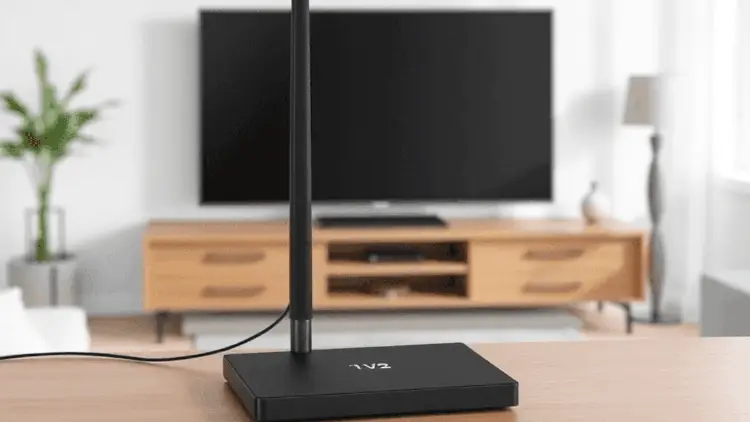
An amplifier can help boost weak signals, especially if you live far from the TV tower.
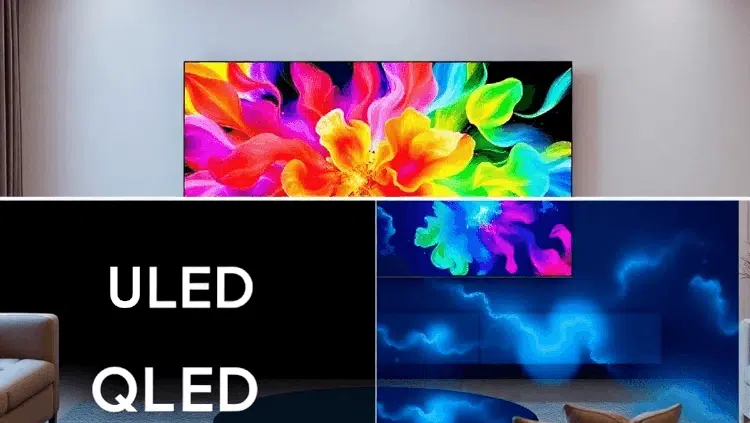
Also read: Nanocell and QLED are LCD TVs that utilize nanoparticles for enhanced hue.
Pros and Cons of Using an Amplifier with Your TV Antenna
Adding an amplifier to your TV antenna can boost your signal in several ways:
- Stronger signal, even with the same antenna. This is the main benefit of using an amplifier.
- More flexibility in TV placement, since a better signal means you don’t have to worry as much about where the TV is located.
This boost is especially clear with active antennas, which have built-in amplifiers. They send a strong signal that can get past obstacles that usually block reception. Even long cables won’t weaken it much. If you use an external amplifier, its location matters a lot for the best results. Still, you’ll see improved power and signal quality.
A good amplifier prevents the picture and sound from freezing or lagging. Unlike old analog TVs that show static or lines when the signal fades, digital TVs freeze on the last frame or go silent thanks to better technology. This means clearer viewing even if the signal isn’t perfect.
If you want to add an amplifier at home, keep these points in mind:
- It adds complexity and cost. Options like ceiling units or special connectors can increase what you spend.
- Even simple amps need extra parts like mounts, connectors, power supplies, and tools—but this is manageable if you enjoy DIY projects.
- You’ll need a power source. Most amplifiers require an external power adapter plugged into the wall.
- Some TVs or set-top boxes can supply power through the antenna cable if they have an active antenna socket.
- Amplification isn’t always needed or helpful. Check your current signal quality before adding one.
- The amplifier boosts everything—good signals and noise alike. If your signal is noisy, amplification might just make it worse.
- Too much amplification can cause problems. If the signal is already strong, boosting it more can make your equipment ignore it. In areas with good reception, skip the amplifier or reduce its power if possible.
Knowing these pros and cons helps you choose and set up a TV antenna amplifier wisely for clearer, stronger signals at home. Also think about how coax connections and splitters affect your setup when planning installation.
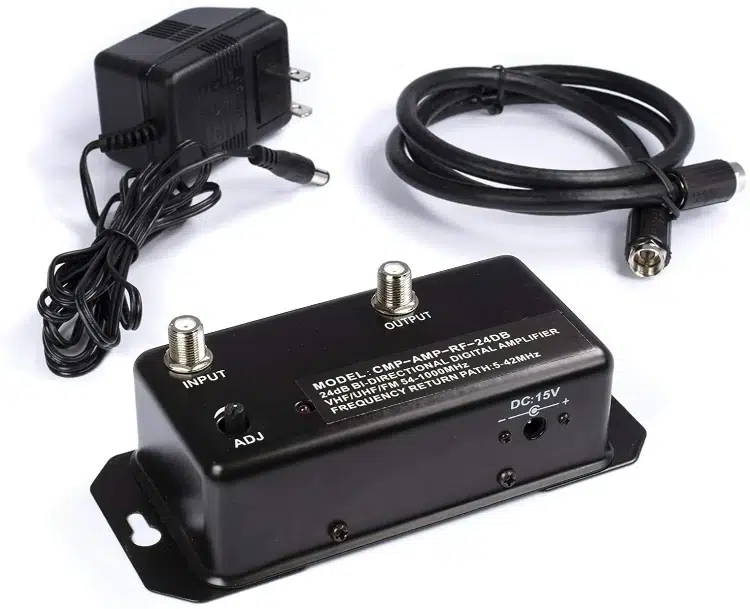
How to Choose the Right TV Antenna Amplifier
When picking a TV antenna amplifier, keep these points in mind:
- Amplification range: This is important for good TV reception. Choose an amplifier that matches your frequency needs. Broadband amplifiers work across VHF and UHF ranges, but they might slightly reduce signal quality. Specialized amplifiers usually work better for specific frequencies. Multi-band amplifiers have separate units for each frequency range.
- Type of amplifier: Decide if you want an active or passive amplifier. Active amplifiers are often built into the antenna or connected via an external cable.
- Power supply: Amplifiers can get power through the coaxial cable or from an external power source. Amplifiers with their own power supply are stronger and improve signal quality more.
If you use Sky or want better overall reception, consider using preamplifiers and distribution amplifiers. Also, if you use RG59 coax cable, make sure all connections are tight to avoid losing signal.
For tricky setups like hidden faceplates with coax cables and switches in RVs or motorhomes, tools like a twisty dial directional adjuster can help you fine-tune your signal easily.
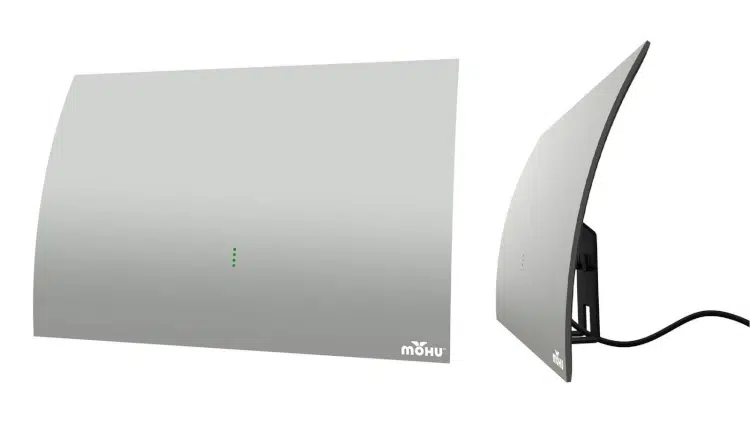
Example Wiring Diagram
This TV antenna wiring diagram shows the simplest setup. It boosts the signal from your apartment’s indoor antenna and can also improve the signal from a passive outdoor antenna using an indoor TV antenna booster.
How to Connect
Follow these steps to set it up:
- Use a coaxial cable to connect the antenna to an external amplifier, ideally with lightning protection.
- Connect the TV and amplifier using their input and output jacks with coaxial cables.
- Plug the amplifier’s power adapter into a household power outlet.
Why Lightning Protection Matters
Add lightning protection if you mount the antenna on a mast. This device goes into the coaxial cable line and acts like a fuse. If lightning strikes, it burns out and breaks the circuit, protecting your equipment. You only need to replace this fuse instead of all your gear, preventing fire risks from short circuits.
Connecting Two TVs
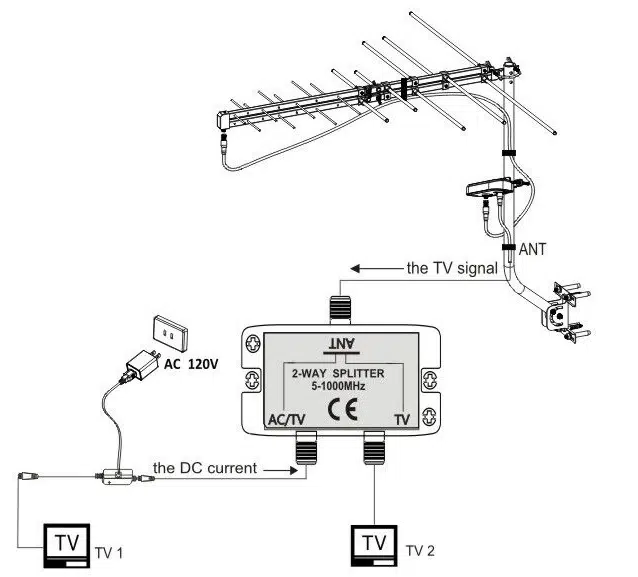
To connect two TVs to one antenna, use a splitter between the amplifier and TVs. It divides the signal evenly for both sets. A splitter working from 5 to 1000 MHz is enough for digital terrestrial broadcasts.
Tips for External Amplifier Setup
Place the amplifier where you can easily reach its switch. Watch out for blue flickering lights, which may mean connection problems. Using wiring diagrams for Winnebago models can help you find antenna parts and make installation easier.
Example of Using a Splitter
This diagram shows how to use a splitter with a TV antenna to share the signal between two TVs. This way, both TVs get a clear picture without losing signal quality. The amplifier’s power supply runs through the cable and passes through one input of the splitter, making sure the power supply works well with the splitter.
When setting up your system, think about using an antenna booster to strengthen the signal and reduce problems like ghosting on the screen. A masthead amplifier can also help by improving signal clarity and cutting down interference.
If you have an RV, trailer, or motorhome, follow the proper steps to troubleshoot your antenna amplifier power to make sure everything works right. Using a distribution amplifier can also help by allowing multiple connections while keeping the signal strong.
Problems with Receiving Terrestrial TV Signals
Getting a good terrestrial TV signal can be tricky because of several common issues. Knowing these problems can help you improve your TV watching experience.
What Affects Signal Quality
One key factor is the difference between digital and analog TV signals. Digital signals are more likely to face interference, which can cause signal loss in cables and splitters. To fix this, many people use signal boosters to strengthen their TV channel signals.
Deciding if You Need a Booster
If you’re thinking about installing a TV booster, with or without a converter box, it’s important to consider your situation. Things like obstacles and how far you are from broadcast towers affect how well a booster will work.
Improving Reception with Amplifiers
Using a good TV antenna amplifier can greatly improve your picture and sound quality. If you have an antenna, use features like the line-of-sight adjustment to get the best position.
Regularly Checking for Channels
After setting up your antenna, make sure to scan for channels regularly. This helps you catch all available broadcasts and spot any ongoing reception problems.
Problem With Antenna Positioning
OTA TV is an affordable way to watch local news, national sports, and popular shows from ABC, CBS, FOX, and NBC. But if your TV antenna isn’t set up right, it can cause problems with reception.
A common issue is getting the antenna positioned correctly. If turning the antenna doesn’t help or a room antenna gives weak signals, you might need a TV signal booster. Make sure your equipment fits the TV channels you want and check the user manuals for help.
Here are some tips to improve your setup:
- Digital antennas need to point in the right direction; even a small angle change can affect satellite signals. For ground-based (terrestrial) antennas, aim directly at the UHF signal source. Use a map showing transmitter locations and a compass to point your antenna properly.
- Nothing should block the direct path between your antenna and the signal source. Watch out for obstacles like hills, brick or concrete buildings, metal roofs, and thick tree branches. UHF signals don’t go around these; they get absorbed or reflected.
- Electrical devices can cause interference. If your antenna isn’t working well, try moving it to a spot away from other electronics. After moving it, adjust the position once it’s stable. Digital signals handle interference better but still have limits.
By following these tips, you can get better OTA TV reception and enjoy clearer pictures.
Equipment Connection Issues
A common cause of TV problems is incorrect connection of devices, especially when using a TV antenna. To connect an antenna properly, follow these steps:
- Use a 75-ohm cable since most antennas and digital TVs use this standard. This cable helps maintain good signal quality and reduces signal loss.
- Use gain blocks correctly. These are not very useful for satellite dishes but work well for over-the-air signals. For indoor antennas, consider using an amplifier or digital booster to improve reception.
- Many people add an external or built-in amplifier to their indoor antenna to boost weak signals.
Also, check the external cable input on your TV and the location of the Vista 30T antenna switch if you have multiple devices. Knowing how to use the controls and indicators on an RV roof antenna can help fix connection problems.
Samsung’s warranty may cover a dead pixel on a TV, depending on its location.
Program Failures
Another issue is software problems during TV channel tuning. To decode a digital signal, the TV tuner must follow a specific process. If the device is faulty, it can cause audio and video problems that disrupt watching.
Steps for Successful Tuning:
- Connect the antenna to the TV using the wall outlet coax connector.
- Check if the connection works: When you activate the “Whennu” function, the tuner setup should show on the screen. If not, connect to the TV receiver.
- Turn on the tuning function in the menu, usually found under “Channels,” “Broadcasting,” or similar.
- Start the auto search function. How this works depends on your TV model, so check the user manual carefully. The tuner will save the found channels automatically.
- If auto search finds no channels, try searching manually. Decide which scanning method to use and how to switch between rooftop antenna and cable inputs (important for RVs or motorhomes). Consider using an antenna booster if reception is weak.
Always read and understand the instructions before setting up to ensure proper digital signal decoding and avoid program failures during tuning.
Technical Problems With the Transmitter
If everything is set up correctly and working on your receiver, the problem is likely on the transmitter side.
Sometimes, the nearest repeater may lose connection, causing signal issues. If you have trouble receiving signals, check for any transmission problems reported by satellite or terrestrial operators. Their official websites usually share updates about ongoing issues.
If there are reported problems in your area, you’ll need to wait until they are fixed. If not, call the support number to check for any faults.
When fixing no signal or no power issues with RV TV antennas and boosters, make sure you use the right amplifier settings and that your digital set-top box is set up correctly. If your signal is weak, also check if your push button switch works properly.
For users of certain models like the Winnebago Minnie Drop 170S, remember that specific layouts can affect signal quality.
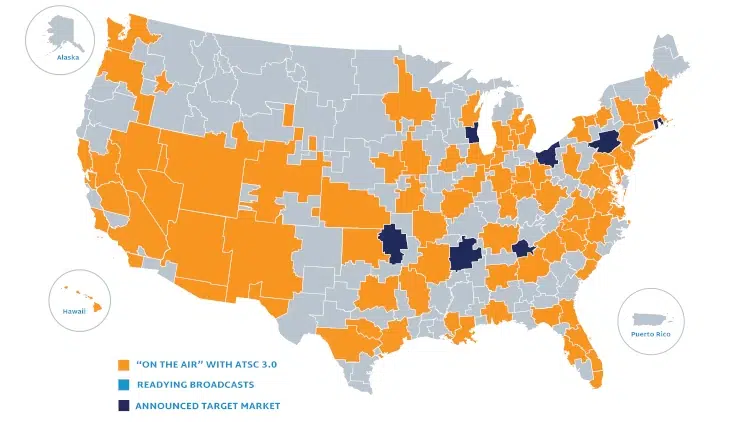
Valuable resources for digital terrestrial broadcasting:
- Have at least one ATSC 3.0 station transmitting one NEXTGEN TV service. Most markets have three to five available NEXTGEN TV services.
- A site about NEXTGEN TV
- ATSC 3.0 Station List
- NEXTGEN TV is a free, over-the-air service available to viewers with an antenna in most significant markets.

Also read: The HDMI ARC protocol is analogous to the traditional digital interface for digital audio, TOSlink.
Common TV Antenna Problems and How to Fix Them
When your TV antenna isn’t working well, several things could be causing the problem. Here are some common issues and easy solutions:
1. Signals Bouncing Off Objects (Multipath Interference)
Signals can bounce off buildings or other things before reaching your antenna, which can weaken or blur your TV picture.
Fix: Use a good TV antenna booster to strengthen weak signals. Make sure to pick the right type of amplifier that matches your setup, since some work better in cities and others in rural areas.
2. Old Antennas and Digital Signals
Older antennas may not handle digital signals well, causing poor picture or signal dropouts.
Fix: Learn the difference between analog and digital signals. If your picture keeps cutting out, try moving your antenna or upgrading to a newer model made for digital TV.
3. FM Interference in Amplifiers
Sometimes certain channels don’t come through clearly because FM radio signals interfere with your antenna’s amplifier.
Fix: Check that your cable outlet is installed properly and not damaged, as this can affect signal quality.
4. Incorrect Setup
A wrong antenna setup can cause weak signals.
Fix: Research how to boost your TV signal by placing your antenna correctly and using a booster if needed. Look for the best boosters available to improve reception.
5. Issues with Winnebago Models
If you have a Winnebago RV, knowing where to find wiring diagrams and manuals helps you locate antenna parts and understand how they work together.
Fix: Check the antenna amplifier’s on/off switch to make sure it’s turned on and working properly.
No channels at all, “no signal issues”
Check these points:
- Check your equipment: Look over your TV, digital HDTV antenna, and cables for any problems. If something seems wrong, call a repair technician.
- Adjust your antenna: UHF antennas work best when pointed in the right direction. Try turning your antenna to improve the signal.
- Distance from the signal tower: Think about how far you are from the broadcast tower. If you’re too far, the signal might not reach you yet. Broadcasters may need to add more towers, or you can use satellite TV which works everywhere.
- Obstacles blocking signals: Hills, mountains, and buildings made of steel or concrete can block signals. Try moving your antenna higher or to a better spot to get a clearer signal. You can also try picking up signals from other nearby broadcasters.
- Use an antenna booster in rural areas: If you live where signals are weak, using a TV antenna booster made for rural areas can help improve reception.
- For RVs and trailers: To get the best over-the-air TV signal in RVs or trailers, make sure your antenna is aimed properly at the closest broadcast tower.
The Channels Were There but Have Disappeared
If you had good reception before but the channels suddenly disappeared, it might be because:
- A new obstacle is blocking the signal between your antenna and the repeater. Try checking your area to see if anything new is in the way.
- Local news or community forums often report problems with repeaters. Keep an eye on these sources for updates about any technical issues.
- Your antenna might have moved, or the cable could be damaged. Check your RG6 coax cable for wear and make sure your indoor antenna is placed correctly.
If problems persist, consider using a TV antenna booster kit. Make sure to learn the correct installation process. Also, watch for unusual signs like flickering blue lights on your antenna power LED, which could mean more issues.
To improve your TV signal, consider getting a good TV antenna amplifier from Markertek’s catalog.
Weak Signal
The weak TV signal might be caused by:
- Repeater too far away: The signal source could be too distant from your receiver.
- To improve reception, try using an active antenna. You can also adjust your antenna’s position and use devices like a TV aerial amplifier or antenna booster.
- Obstacles blocking signals: Objects like buildings or trees might be blocking the radio waves.
- Try moving your antenna to a different spot to get a clearer signal.
- Interference during bad weather: Digital TV captures the full signal, so shaky reception won’t make you miss anything. Wait for the interference to clear, or try adjusting your antenna and tuner. If problems continue, switch between using a rooftop antenna and cable input.
If you want to boost your TV antenna signal at home, using a TV antenna booster can help improve reception.
FAQs (Frequently Asked Questions)
How can I boost my TV antenna signal to improve reception?
To boost your TV antenna signal, you can use a higher-quality antenna, orient the antenna precisely towards the signal source, replace old cables with 75-ohm cables, move your TV closer to the antenna, or use an antenna amplifier for increased signal strength.
What are the advantages and disadvantages of using an antenna amplifier?
An antenna amplifier dramatically increases signal strength and allows flexibility in TV location. However, it adds complexity and cost to equipment, requires a power supply, and may introduce noise, interference, or overamplification if not properly chosen.
When should I consider using an antenna amplifier for better TV reception?
Consider using an antenna amplifier if all attempts at rotating or repositioning your antenna fail to improve reception or if a room antenna provides poor signal quality. Amplifiers help overcome weak signals due to distance or obstructions.
How does improper antenna setup affect TV channel reception?
Improper antenna setup can disrupt equipment function and hinder TV channel reception by causing weak or no signals. Ensuring correct orientation, avoiding obstacles between the antenna and repeater, and proper connection of receiving devices are essential for optimal performance.
What factors should I consider when choosing an antenna amplifier?
When selecting an amplifier, consider the required amplification range based on signal strength needs, whether you prefer a built-in or external device, and the type of power supply—either through coaxial cable or external source—to ensure compatibility and effectiveness.